Develop Diverse browser extension for LinkedIn Recruiter

UX/UI Design
Overview

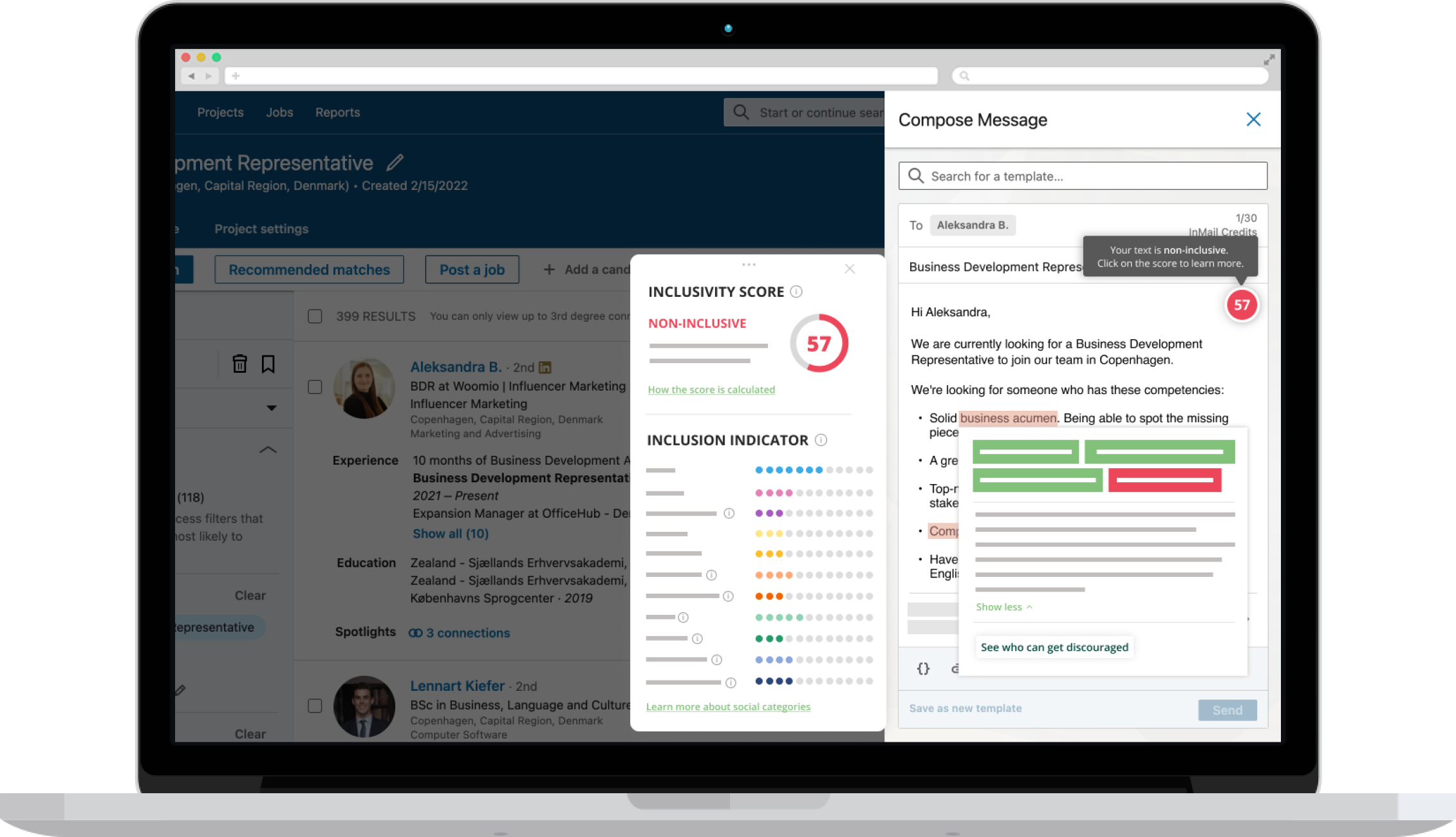
As part of the main Develop Diverse product, our team developed a browser integration that could be used by Hiring Managers or Recruiters within the LinkedIn Recruiter platform. I supported the project by taking part in the entire design process, delivering the final high-fidelity prototype and testing ideas with users.

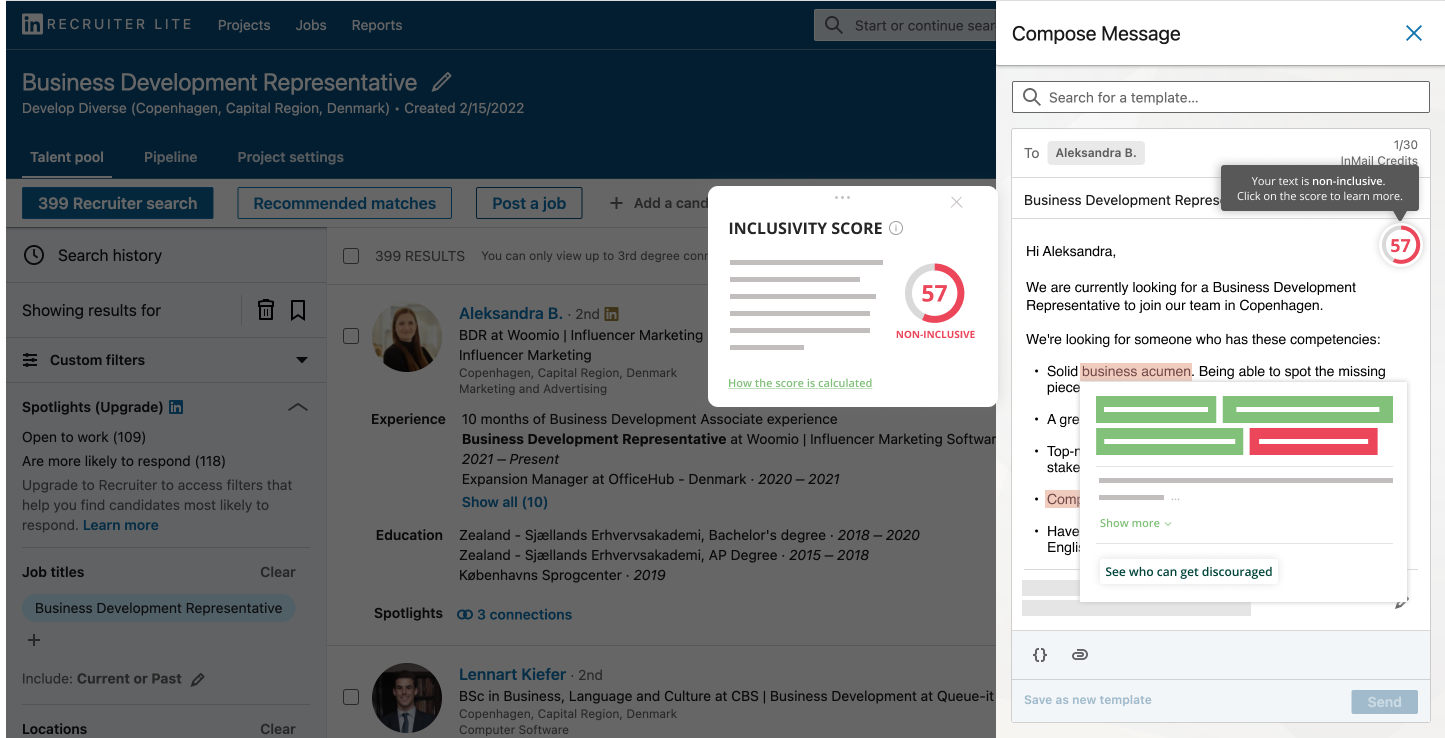
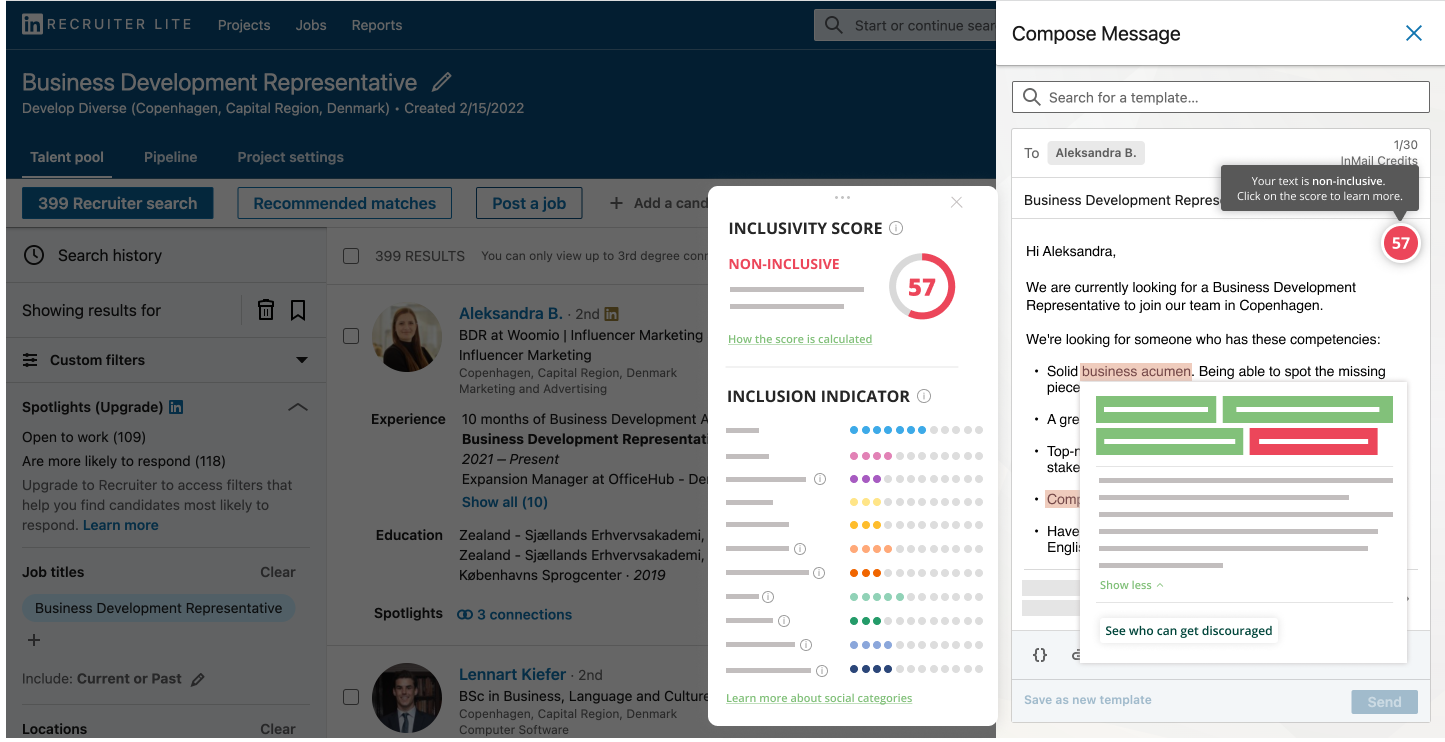
The extension mirrors the core functionality of the main app: scanning input text and highlighting biased phrases and words, suggesting non-discriminating alternatives, and providing details about the text's inclusivity level.

Methods & tools
Develop Diverse browser extension for LinkedIn Recruiter

The process

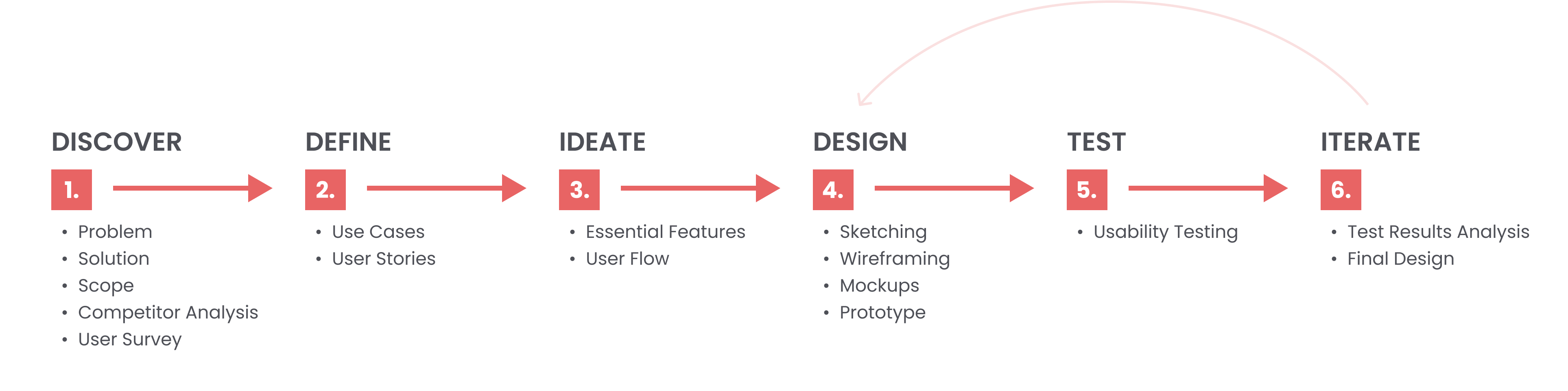
Double Diamond UX design process diagram
Discover Define Ideate Design Test Iterate
01

Discover

Problem

Users needed to perform extra steps to make their biased texts (job ads, messages, emails) more inclusive: copy the initial text from the original source, paste it into the web app's editor, scan for discriminating phrases, replace them with non-discriminating alternatives, then copy the optimized text back (e.g. to a careers page, document, or email). This process was time- and effort-consuming, with steps that could be redundant.
Solution

To make inclusive language ubiquitous, the solution needed to live not only in the main web app but wherever our users were writing and communicating. The higher-level idea was to create a seamless browser extension that would be easily accessible and support users with inclusive writing rapidly, avoiding unnecessary actions.

Desk research

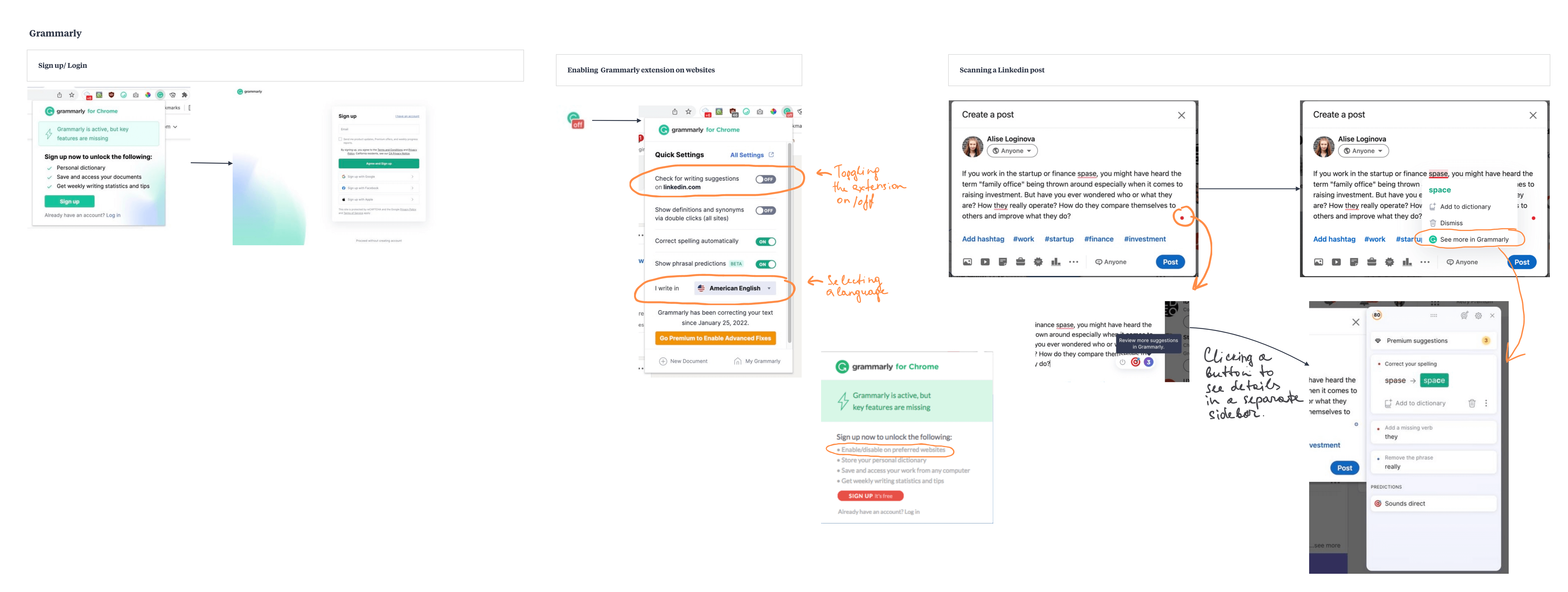
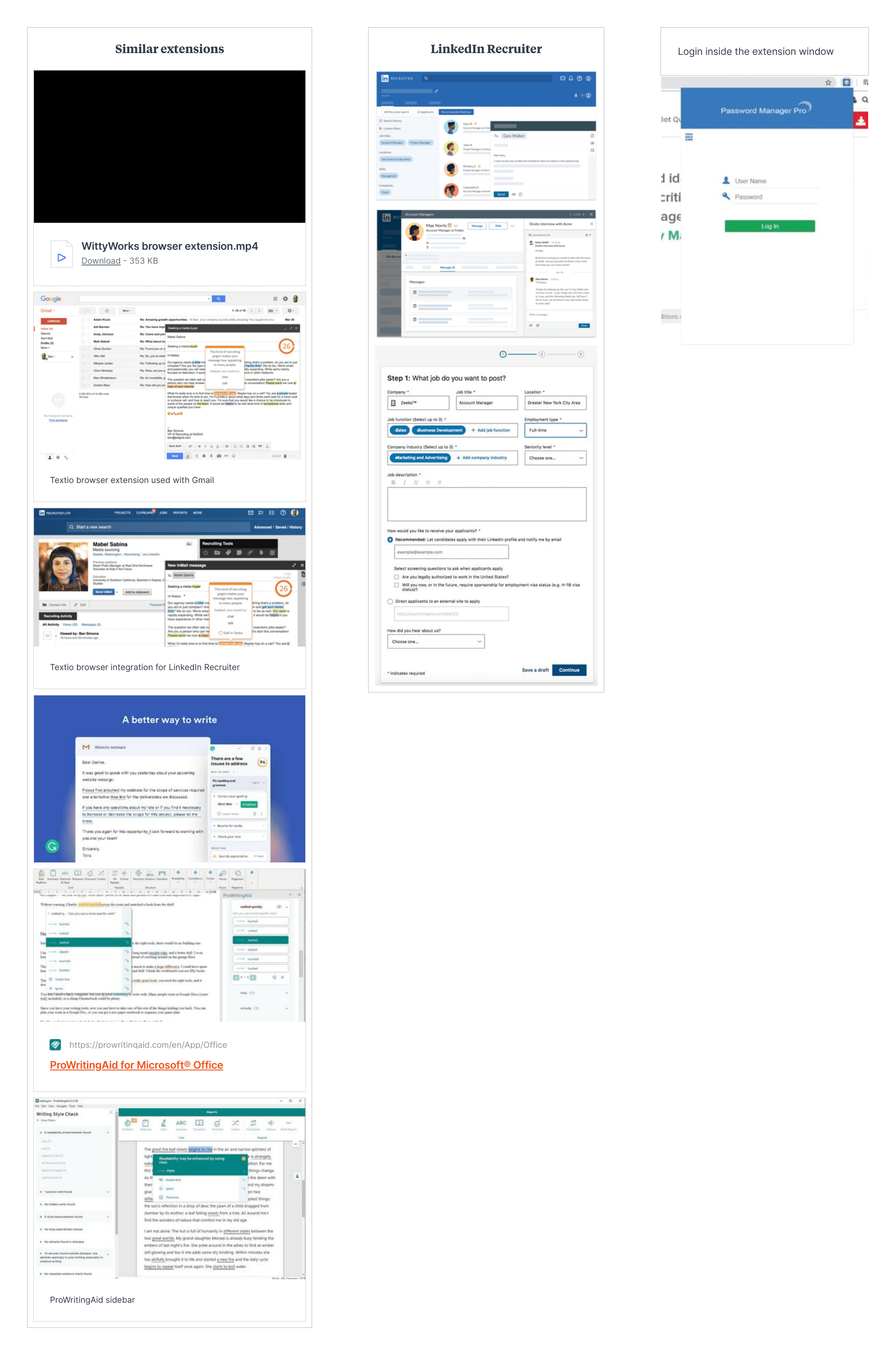
To understand practices in the existing market, I researched different browser extensions — both competitors and non-related products — focusing on those that scan text and offer alternatives or corrections. Grammarly stood out as one of the biggest writing-assistant solutions on the market and served as a good source of inspiration for interface and interaction design.

Milanote board — competitor analysis

Milanote board — competitor analysis

Milanote board — Grammarly analysis

Milanote board — Grammarly analysis

User survey

To understand user expectations and desires early on, some of our customers were asked to fill in a questionnaire.

Key survey findings
  • Users would like to use the browser extension with LinkedIn, email or other recruitment tools they use at work
  • Users expect the extension to work more efficiently than the main app, avoiding copy/pasting
  • Users want to be able to turn the extension off or on when necessary
  • There's a list of core functionalities users want when using the extension
Scope

After team meetings, we realized a generic browser extension functioning on all websites wasn't a good solution due to legal risk — it might not be secure when it comes to sensitive data like passwords, bank details or personal data.

We narrowed the scope to specific platforms Recruiters or Hiring Managers (our primary users) use daily. LinkedIn Recruiter was chosen as the first platform to develop the integration for, a decision informed by the survey results as well as technical limitations and feasibility discussed during scope meetings.

02

Define

Use cases
User stories
03

Ideate

Essential features
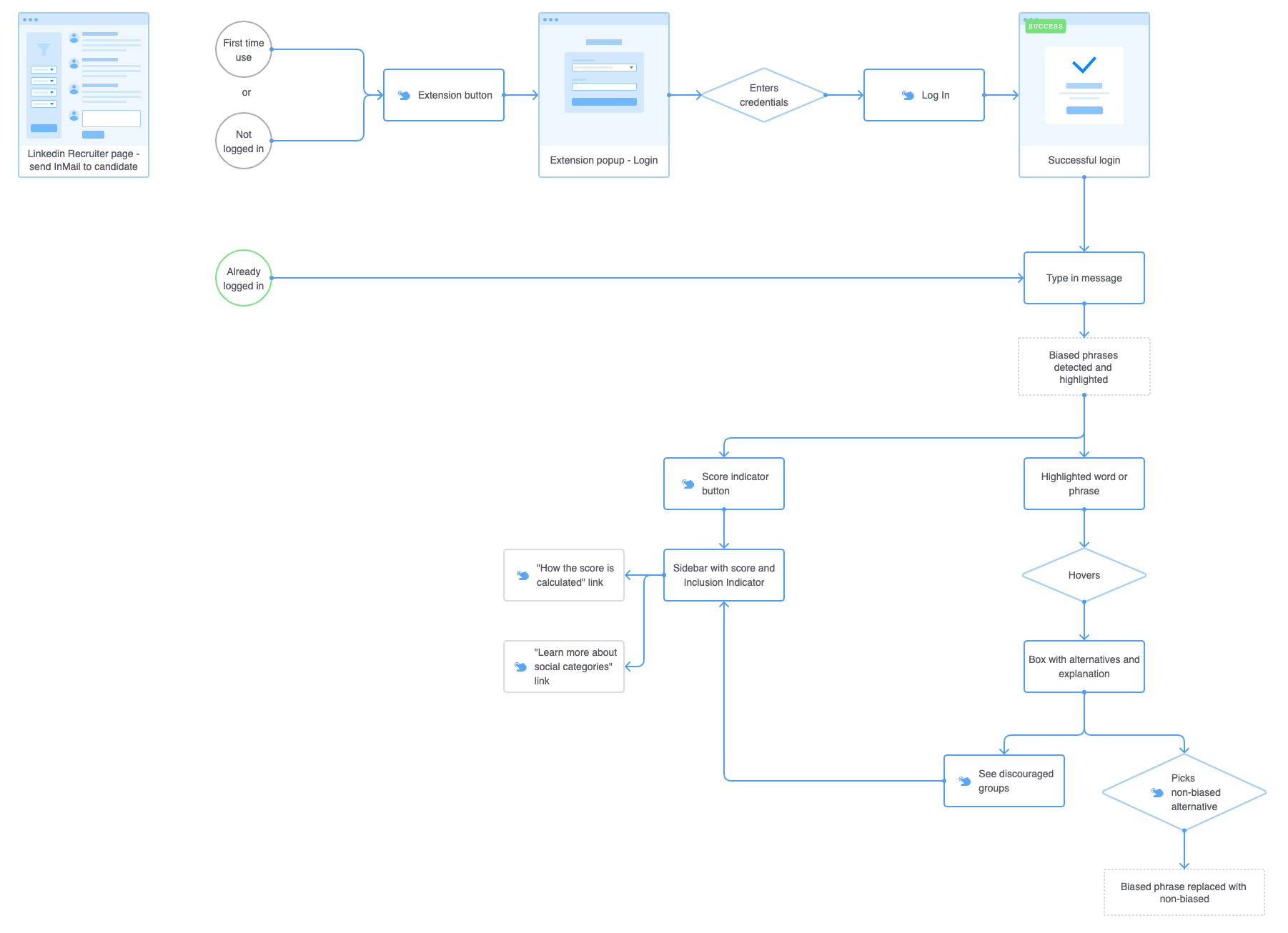
User flow
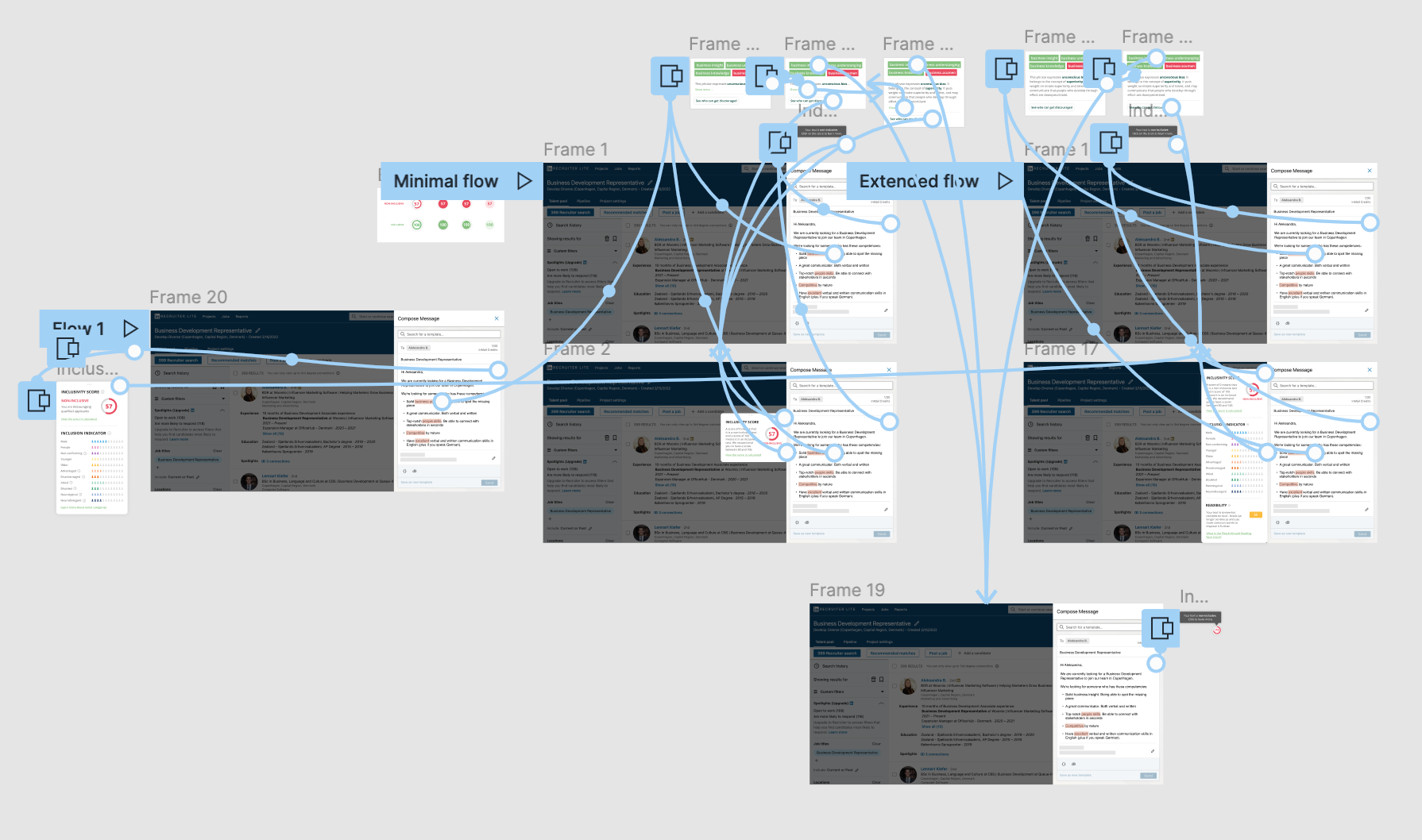
LinkedIn Recruiter integration user flow
04

Design

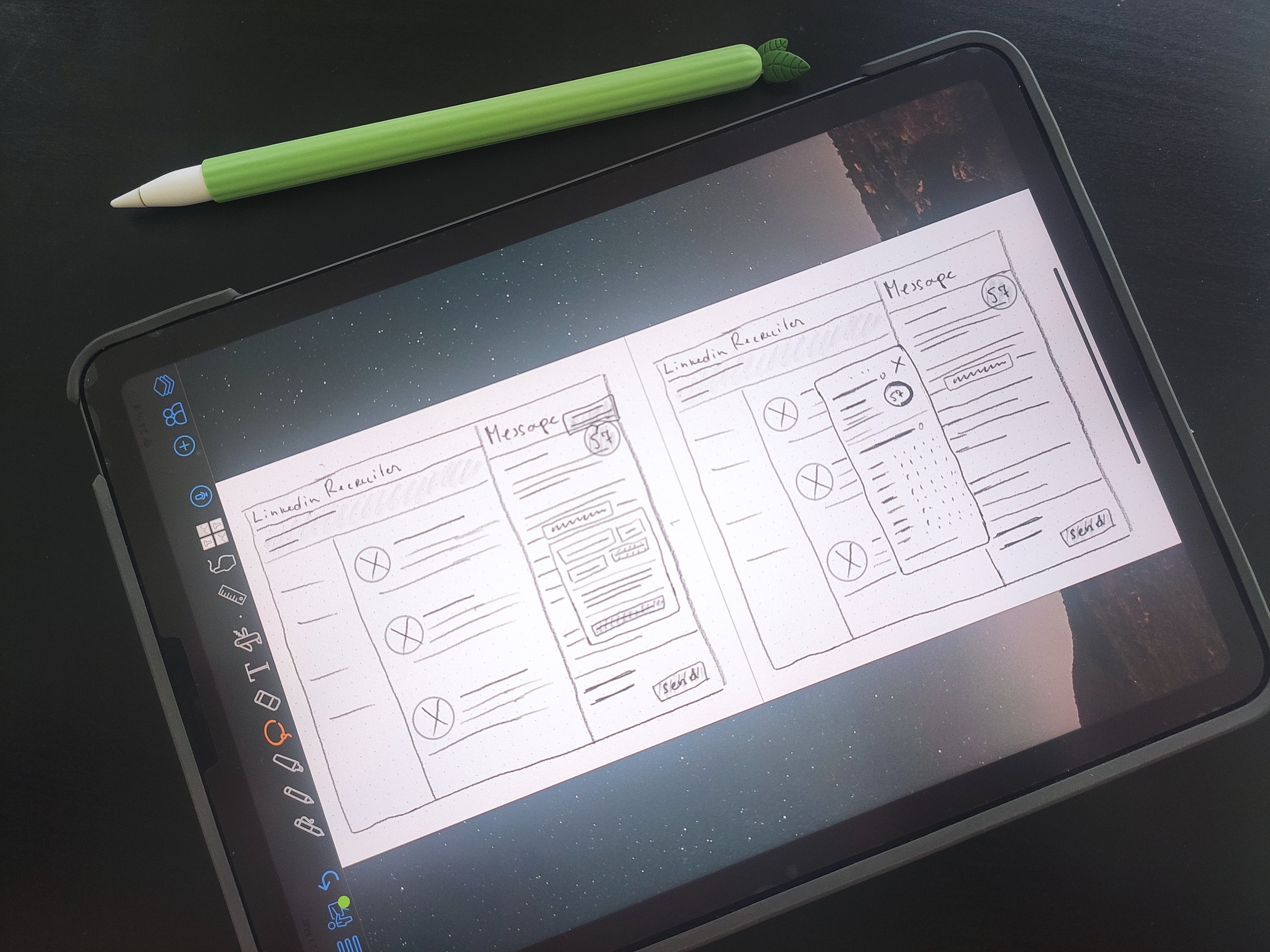
Sketching
Early sketches of the extension interface
Wireframes
Wireframe 1
Wireframe 4
Wireframe 2
Wireframe 3
Mockups

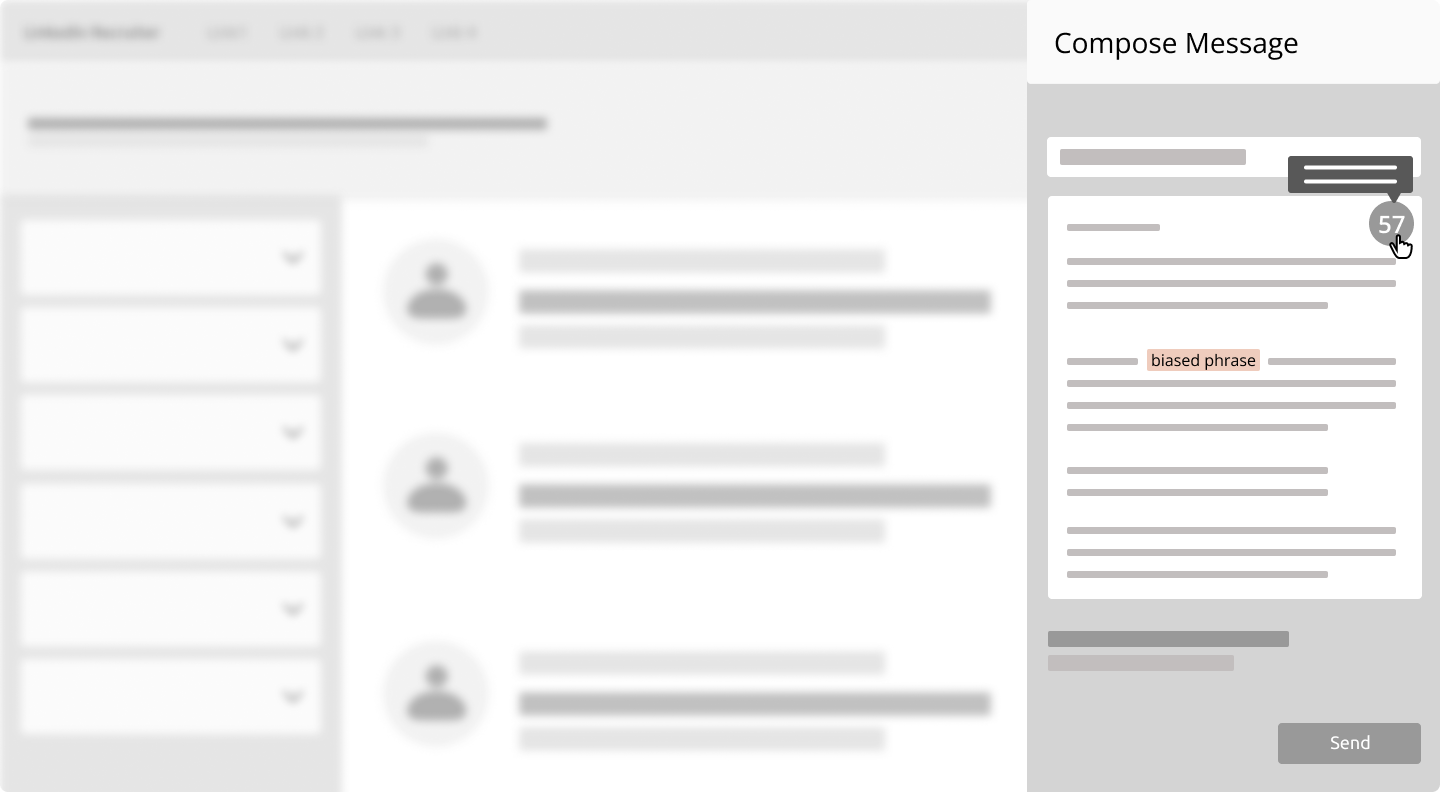
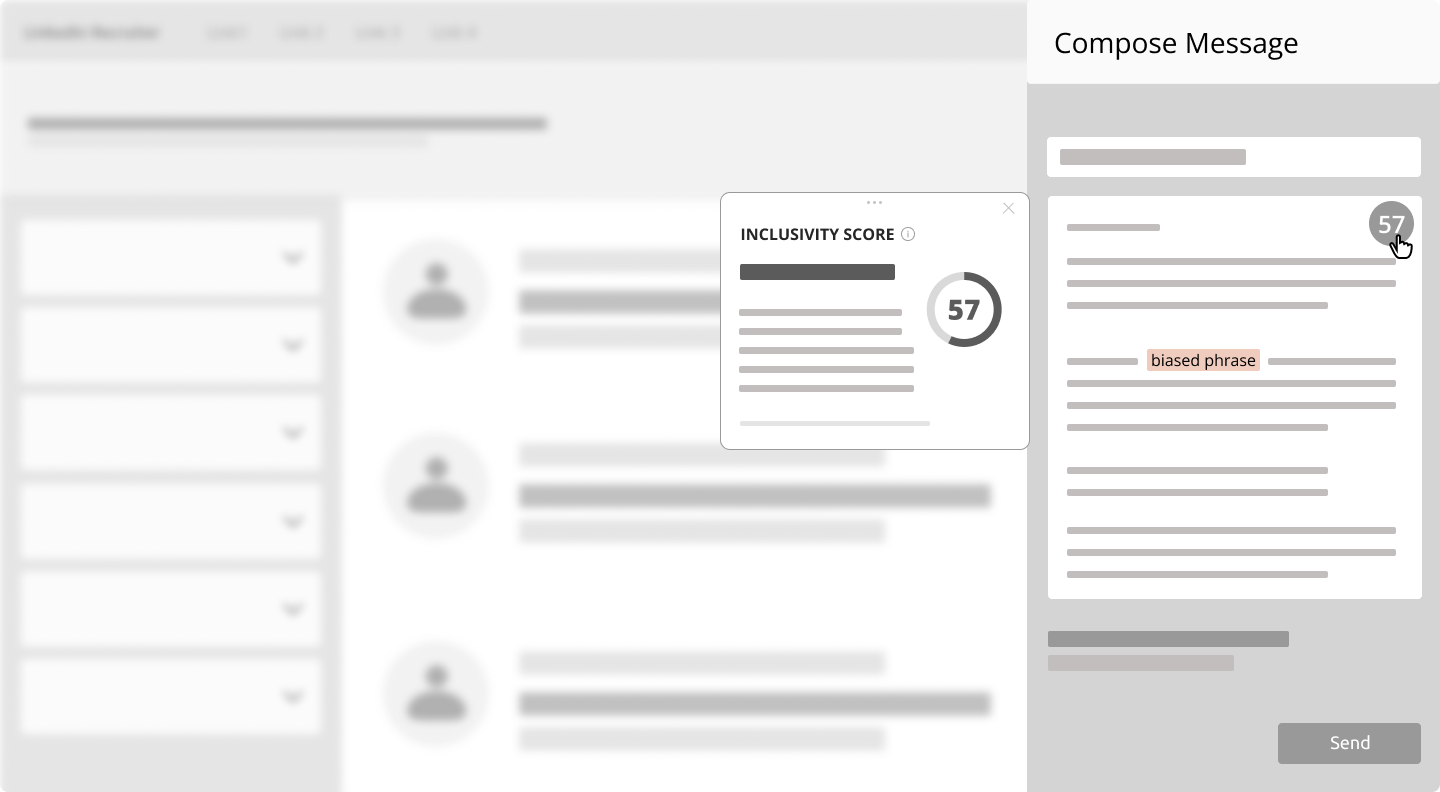
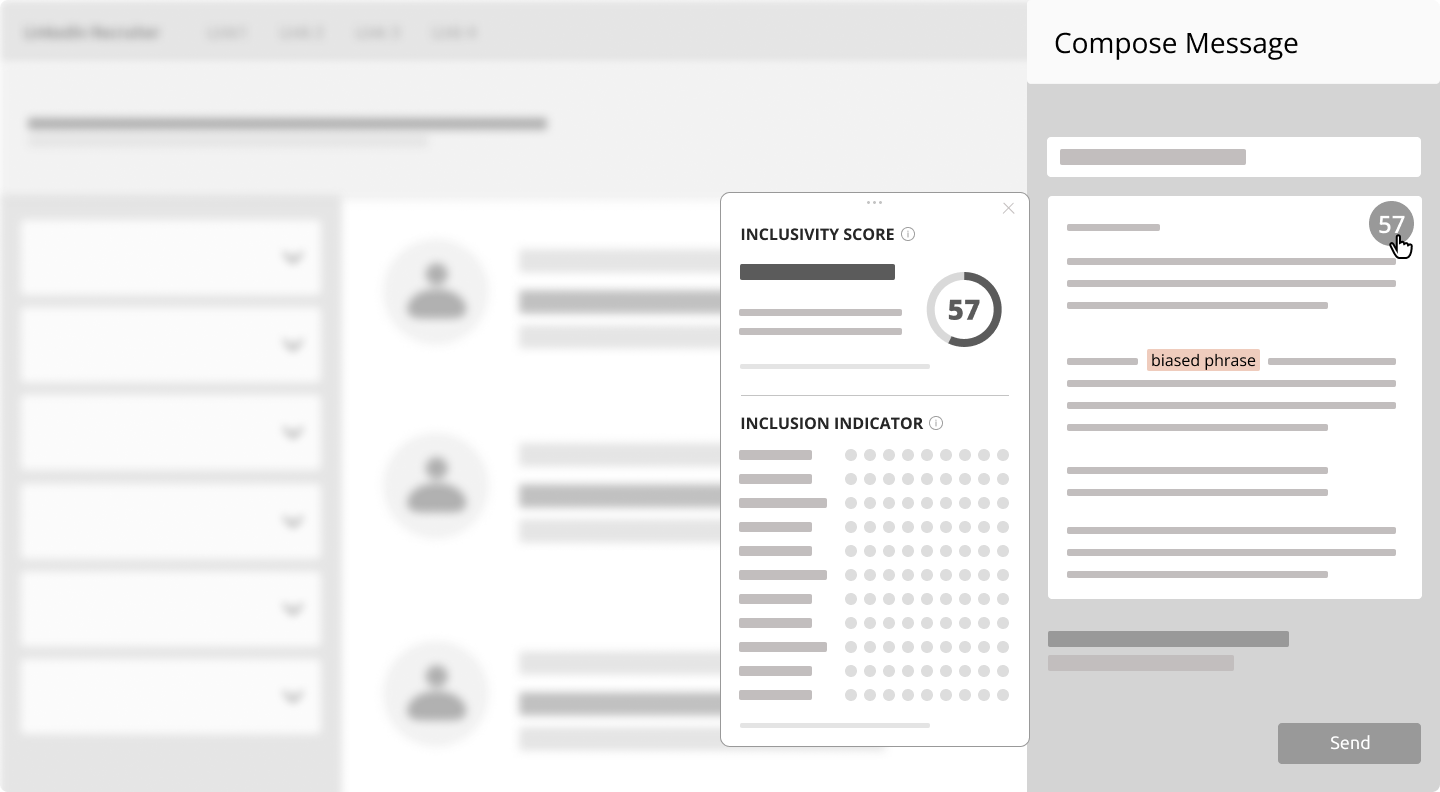
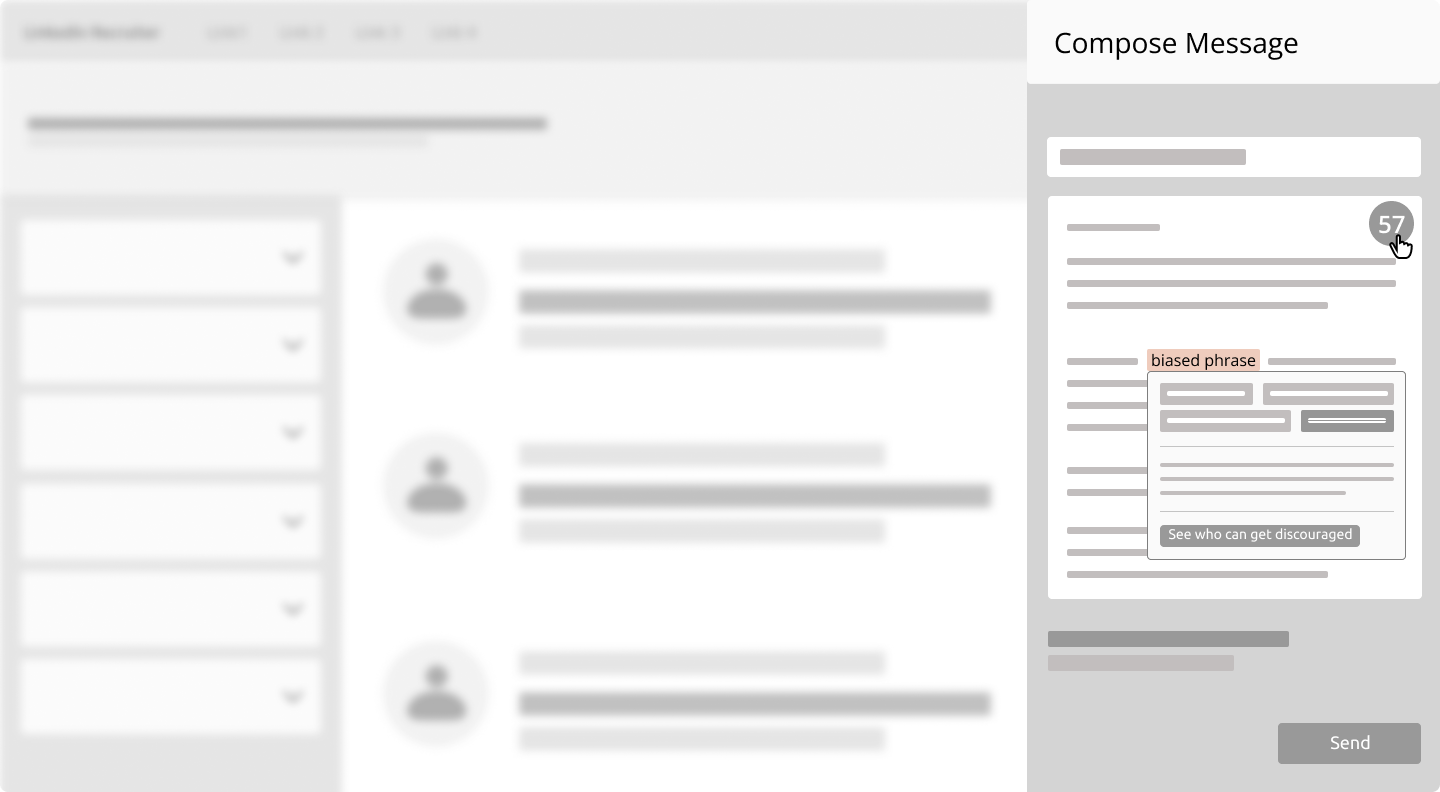
Due to an NDA I signed when working for the company, I'm not able to reveal all interface details, except those publicly available. Some elements below are replaced with lines or shapes.

Mockup
Mockup
Mockup
Interactive prototype
Interactive prototype screenshot
05

Test

Usability testing

Moderated usability testing was conducted with 5 people — 2 internal and 3 external. The external users were company clients who already used the main app and use LinkedIn Recruiter in their work.

Test goals
  • Determine which of the two proposed flows (minimal or extended) is preferred by users
  • Find out if people understand how to use the extension
User tasks
06

Iterate

Test results

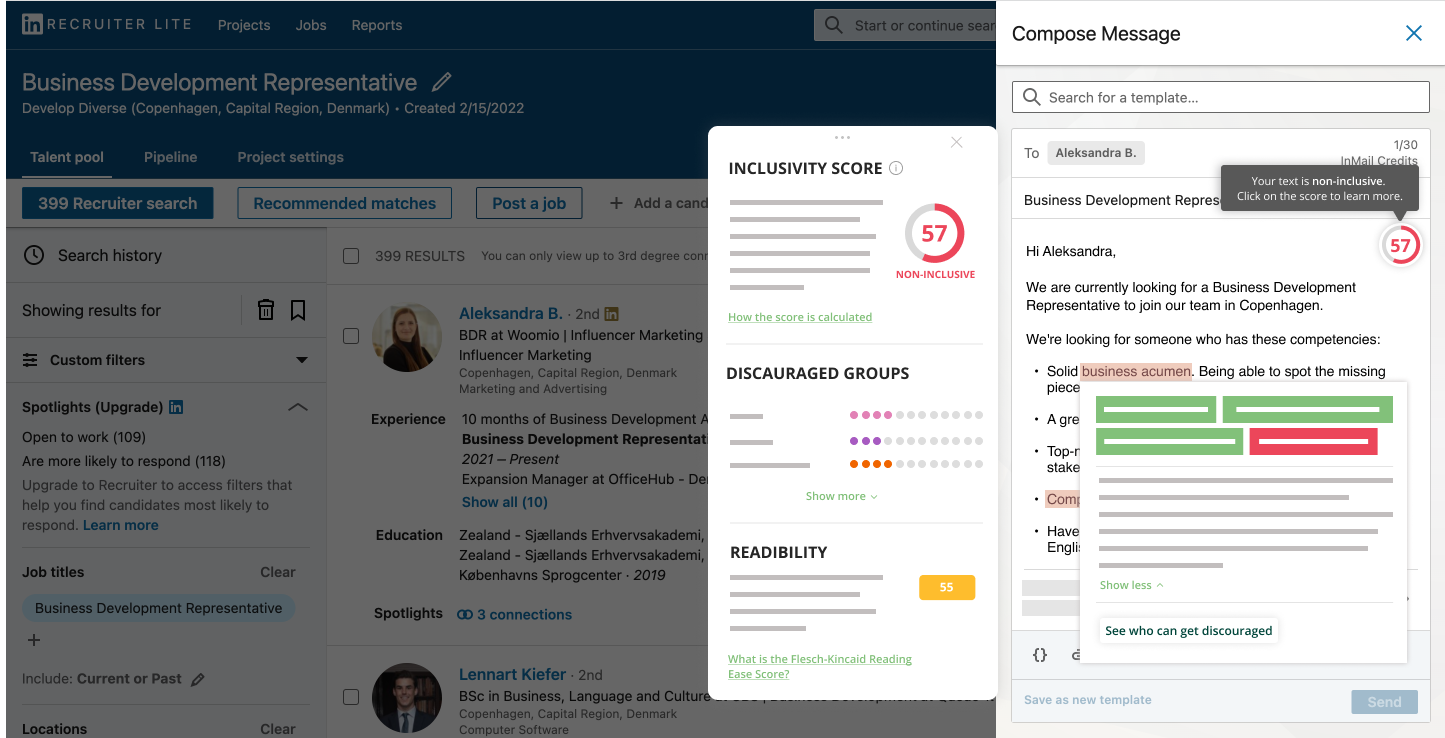
The usability test results were summarized into key findings and conclusions. Most users preferred the minimal interface version for being clean and neat, yet still wanted to see certain useful information about their message. The final design became a hybrid of both minimal and extended versions — clean and uncluttered, while allowing users to reveal additional elements following the principles of Progressive Disclosure.

Final design
Final design of the browser extension

Want to work together?

If you like what you see and want to work together, get in touch.